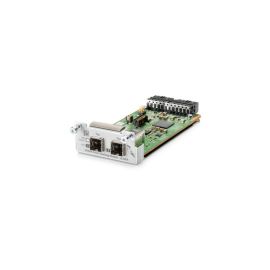
HPE J9733AS 2920 2-Port Stacking Module


J9733AS
-
$41.40 In Stock - Ships Worldwide Order by 2:00 PM ET for Overnight ShippingWas: $45.00You Save: $3.60 8% OFF
-
Warranty: 90-day return/replacement

 Free ground shipping (upto 10 LBS) within the
United States
Free ground shipping (upto 10 LBS) within the
United States

Government, Federal & Education Procurement
We support quotes, POs, stock docs, and compliance invoicing.
Email: support@buyrouterswitch.com SAM.gov Vendor CAGE Code : 23P86J9733AS Overview
HPE J9733AS Network Stacking Module - 2 Ports.
Summary Description
HPE J9733AS 2920 2-Port Stacking Module
Need help with J9733AS?
Get pricing, availability, lead time, and compatible options from our team. Chat with us live or email support@buyrouterswitch.com
Specifications
Overview
| Condition | Refurbished |
|---|---|
| Brand | HPE |
| Stock | In Stock |
Key Features
| Device Type | Network Stacking Module - 2 Ports |
|---|---|
| Form Factor | Plug-in Module |
Networking
| Connectivity Technology | Wired |
|---|---|
| Cabling Type | Stacking |
Expansion / Connectivity
| Interfaces | 2 X Network Stack Device |
|---|---|
| Compatible Slots | 1 X Stacking Module Slot |
Frequently Asked Questions
What is the primary function of the HPE J9733AS module? +
The HPE J9733AS is a dedicated stacking module designed to expand the capabilities of compatible Aruba 2920 switch series. By installing this module, administrators can create a high-speed virtual stack, allowing multiple physical switches to be managed as a single logical entity, which simplifies configuration and enhances network resiliency.
Which specific switch models are compatible with the J9733AS stacking module? +
This stacking module is engineered specifically for the HPE Aruba 2920 Switch Series. It integrates directly into the rear module slot of these units, providing the necessary high-bandwidth interconnects required to link switches together in a stack configuration for unified management and traffic forwarding.
How does using the J9733AS module improve overall network performance? +
By utilizing the J9733AS for stacking, you significantly increase the backplane capacity between units. This allows for distributed switching across the stack, reducing bottlenecks and providing high-speed, low-latency communication between connected devices, which is essential for bandwidth-intensive enterprise applications and traffic-heavy environments.
What are the physical installation requirements for the J9733AS? +
Installation is straightforward and performed via the designated expansion slot located on the rear panel of the supported Aruba 2920 switch. Ensure the device is powered down and properly grounded before insertion. Once seated and secured, the stack cables can be connected to establish the link between master and member switches.
Does the J9733AS support redundant stacking topologies? +
Yes, this module supports ring or chain stacking topologies. Configuring a ring topology is recommended as it provides path redundancy; if one connection fails or a cable is disconnected, the stack maintains communication through the alternative path, ensuring continuous network uptime for critical business operations.
Are there specific licensing requirements to enable stacking with the J9733AS? +
The Aruba 2920 series generally supports stacking functionality as a native feature. Once the J9733AS module is physically installed and connected with appropriate stacking cables, the switch operating system recognizes the module, allowing you to configure the stack through the standard CLI or web interface without additional feature-based licensing.
How should I manage a stack configured with the J9733AS? +
Once the switches are linked via the J9733AS, you manage the entire stack through the IP address of the Commander switch. This unified management approach allows you to push configuration changes, monitor port status, and update firmware across every unit in the stack simultaneously, greatly reducing administrative overhead.
What type of cabling is needed to connect the J9733AS modules? +
To connect the J9733AS modules, you must use dedicated Aruba stacking cables specifically designed for this series. These cables ensure the high-speed data transfer required for efficient stack communication. Always ensure the cables are securely seated in the module ports to prevent packet loss or intermittent connectivity issues within the stack.
Can I request a bulk quote for the J9733AS from BuyRouterSwitch.com? +
Absolutely. If you are planning a large-scale deployment or require multiple J9733AS units for a project, our team is ready to assist. Contact us directly to request a bulk quote. We specialize in providing competitive pricing structures for high-volume enterprise orders, helping you manage your hardware procurement budget more effectively.
Why should I choose BuyRouterSwitch.com for my HPE hardware needs? +
BuyRouterSwitch.com is a trusted source for authentic enterprise networking hardware. We maintain a large, ready-to-ship inventory of genuine components, ensuring that you receive original equipment that meets your exact technical specifications. Our focus on secure ordering and professional service makes us the preferred partner for procurement managers requiring reliable, high-quality network infrastructure components.