
















DELL 0C5RNH 10GBase-SR 850nm SFP+ SR Transceiver


-
$39.90 In Stock - Ships Worldwide Order by 2:00 PM ET for Overnight ShippingWas: $45.88You Save: $5.98 13% OFF
-
Warranty: 90-day return/replacement
Click here to read our Return Policy for returns/replacements.
- Authenticity: Original Genuine OEM
0C5RNH
Free ground shipping within the
United States

Government, Federal & Education Procurement
We support quotes, POs, stock docs, and compliance invoicing.
Email: support@buyrouterswitch.com SAM.gov Registered Vendor CAGE Code : 23P86
overview
specifications
faqs
reviews
0C5RNH Overview
DELL 0C5RNH 10gbase-sr 850nm Sfp Sr Transceiver.
Need help with 0C5RNH?
Get pricing, availability, lead time, and compatible options from our team. Chat with us live or email support@buyrouterswitch.com
Specifications
Overview
| Condition | New |
|---|---|
| Brand | Dell |
| Stock | In Stock |
General
| Manufacturer | DELL |
|---|---|
| Manufacturer Part Number | 0C5RNH |
Frequently Asked Questions
What is the primary function of the Dell 0C5RNH SFP+ module? +
The Dell 0C5RNH is a high-performance SFP+ transceiver designed to provide 10GbE connectivity over fiber optic cabling. It is specifically engineered to bridge the gap between high-speed switches and servers within data center environments, ensuring reliable data transmission for bandwidth-intensive applications and enterprise-grade networking infrastructures.
Which networking hardware is compatible with the 0C5RNH transceiver? +
This module is designed for seamless integration with Dell PowerSwitch series and select PowerEdge server network interface cards. It is optimized to meet strict Dell hardware compatibility standards, ensuring that users achieve stable link synchronization and performance without encountering the initialization errors often associated with generic, third-party optical modules.
What are the physical port requirements for installing the 0C5RNH? +
The 0C5RNH requires an SFP+ port, which is a small form-factor pluggable interface capable of supporting 10 Gigabit Ethernet speeds. When installing, ensure the module is fully seated into the transceiver slot until it clicks, and always verify that the corresponding fiber patch cable matches the connector type supported by the module’s optical interface.
Can this SFP+ module be used in a mixed-vendor network environment? +
While the 0C5RNH is native to the Dell ecosystem, SFP+ modules generally adhere to industry-standard protocols. However, for maximum uptime and to prevent proprietary firmware lockout issues, it is strongly recommended to use this module within Dell-branded switches or hardware that explicitly supports this specific transceiver part number in the compatibility matrix.
What distance limitations should I expect when using the 0C5RNH? +
Operating distance for SFP+ modules is highly dependent on the fiber optic medium used, such as OM3 or OM4 multi-mode fiber, and the specific optical signaling standards the module supports. For optimal link integrity, ensure your fiber cable runs do not exceed the distance ratings specified for your particular 10GbE deployment architecture.
How does the 0C5RNH contribute to data center network reliability? +
By providing a dedicated, high-speed physical layer connection, this module minimizes packet loss and latency issues common in lower-tier copper or legacy connections. Its rugged construction ensures thermal stability during continuous operation, which is essential for maintaining consistent, high-throughput traffic flows in server racks with high ambient heat levels.
What is the recommended approach for managing the 0C5RNH via switch software? +
Network administrators can monitor the status of the 0C5RNH through standard CLI commands on Dell switches, such as 'show interface status' or 'show inventory'. These commands provide real-time diagnostic data, including signal strength and link state, allowing IT teams to proactively identify physical layer issues before they impact end-user productivity.
Is any special licensing required to enable 0C5RNH modules in Dell switches? +
Typically, these modules are plug-and-play and do not require additional software licenses to function once inserted into a compatible SFP+ port. However, it is always best practice to ensure your switch firmware is updated to the latest version to maintain compatibility and access to advanced monitoring features for the transceiver.
How can I obtain a bulk quote for the 0C5RNH from BuyRouterSwitch.com? +
If you are planning an enterprise-wide infrastructure upgrade and require multiple units, our sales team is ready to assist. Simply navigate to the product page on BuyRouterSwitch.com and use our bulk inquiry form to provide your required quantities. We specialize in providing competitive pricing structures for large-scale orders to help you manage your IT budget effectively.
Why should I choose BuyRouterSwitch.com for my 0C5RNH purchase? +
BuyRouterSwitch.com is a trusted source for authentic enterprise networking hardware. We prioritize professional sourcing and secure procurement processes, ensuring you receive genuine components that meet your network’s critical requirements. By choosing us, you gain access to a dedicated sales team that understands the complexities of enterprise hardware and provides a streamlined ordering experience for your networking projects.


Related Products

Special Price
$54.24
was
$62.38

Special Price
$54.72
was
$62.93
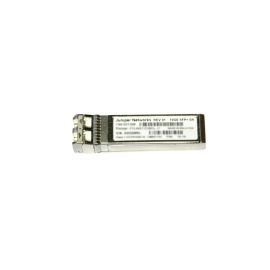
EX-SFP-10GE-SR Price -Juniper Small Form Factor Pluggable 10 Gigabit Ethernet (SFP+) SR Optics
Part #: EX-SFP-10GE-SR
Juniper
Special Price
$39.90
was
$45.89

Intel AFBR-709DMZ-IN3 1G/10G 850nm Multimode SFP+ Transceiver Dell OEM Ref
Part #: AFBR-709DMZ-IN3
Intel
Special Price
$33.30
was
$38.30

Special Price
$886.89
was
$1,019.92

Cisco SFP-10G-LR-S network transceiver module Fiber optic 10000 Mbit/s SFP+ 1310 nm
Part #: SFP-10G-LR-S
Cisco
Special Price
$73.92
was
$85.01

Intel AFBR-709DMZ-IN2 SFP+ Transceiver Module 1000BASE-SX, 10GBASE-SR Plug-in Module Ref
Part #: AFBR-709DMZ-IN2
Intel
Special Price
$49.50
was
$56.93

Cisco Meraki MA-SFP-10GB-SR network transceiver module Fiber optic 10000 Mbit/s SFP+ 850 nm
Part #: MA-SFP-10GB-SR
Cisco
Special Price
$124.30
was
$142.95

$231.40
Need Help Choosing the Right Part? Talk to an Expert
-
+1 (800) 870-9487Mon-Fri 8am-5pm EST
-
support@buyrouterswitch.comTechnical support
